

Start streaming and earning on Tango Live
Learn how to start your first Tango Live stream, choose the right format, earn Diamonds from gifts, review payout methods and keep your room safe.
Your country guide
Tango in United States.
Choose your location to see the setup options that matter for your first live.
Available to stream
Choose your stage.
Payout methods
Ways to receive rewards.
- Bank transfer
- Visa cards
- Payoneer
- PayPal
- Crypto
- Reward unit
- Diamonds
- Payout schedule
- Flexible, up to 1 time a day
Tango Live's minimum withdrawal is US$15. Tango also publishes a fixed table of 5,000 Diamonds = US$25 and allows one withdrawal request per day. The methods shown update for your selected country.
Found a mismatch?
Your Tango launch plan
From install to your first Live.
- 01
Install Tango or open tango.me
Install the Tango app, or open tango.me in your browser if you'd rather stream from the web.
- 02
Tap the camera button
Open Tango and tap the camera icon to start setting up your broadcast.
- 03
Choose your stream type
Pick the format for this session — Public, Premium, Live Party, Battle, Match call or 1-to-1 — before you go live.
- 04
Check your lighting
Make sure your room is bright enough that viewers can see you clearly.
- 05
Set up filters if you want them
Turn on any filters or effects for this stream, if you'd like them.
- 06
Go live
Start your broadcast.
Tango format playbook
Every way to stream on Tango.
Tango offers several stream types. Pick the one that fits your session before you go live.
- Live Party — stream together with other creators; you share viewers, so it's a good way to reach a new audience
- Battle — compete with fellow creators inside a Live Party; the winner gets a bonus on the Diamonds earned during the battle
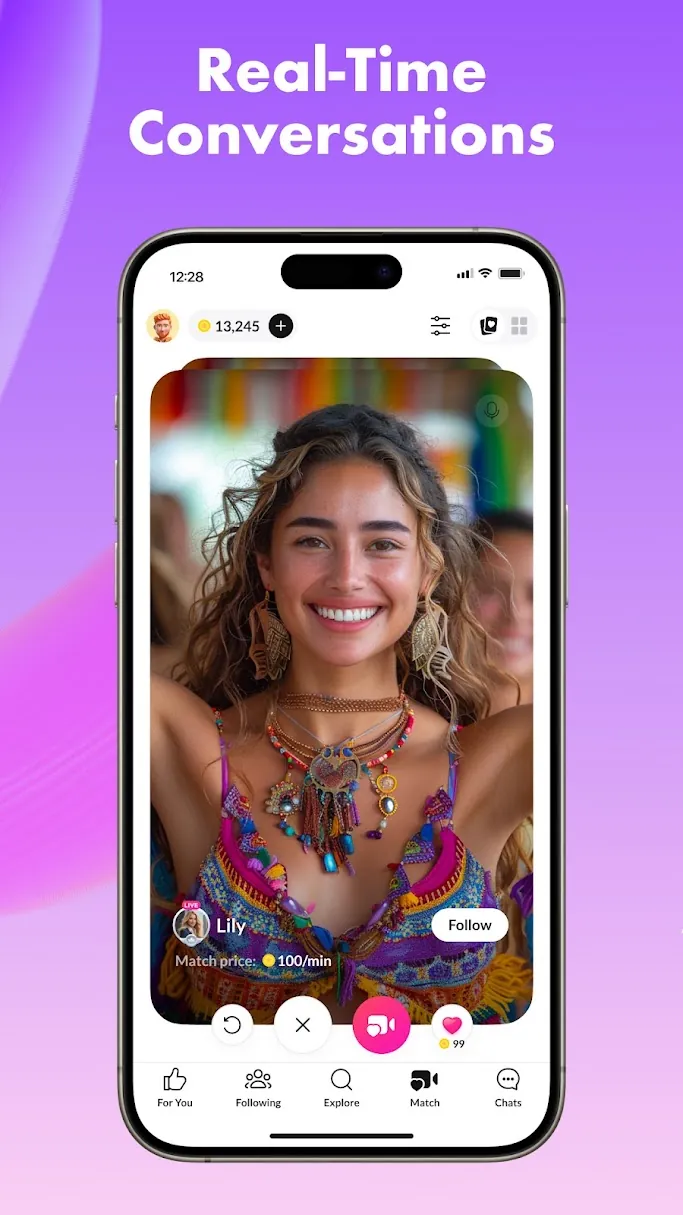
- Match call — a per-minute paid call with a viewer
- 1-to-1 — a stream in the chat with a single viewer
- Premium — a paid-entry stream; viewers send a gift to enter
Tango hints
Small habits that keep your room growing.
- ✓Reply to messages during your stream
- ✓Don't understand a message? Tap it to translate
- ✓When you receive a gift, you get Diamonds toward your payout — enjoy the moment and thank your gifter
- ✓Keep the connection: chat with your gifters casually even after the stream, invite them to your next one, and share your media to get more attention
Questions creators ask
Tango Live questions.
What is Tango Live?
Tango Live is a social live-streaming app. Creators host Public, Premium, Live Party, Battle, Match call and 1-to-1 broadcasts, and earn Diamonds from viewer gifts that convert to a real-money payout.
Is Tango Live safe?
Tango asks creators to follow its platform rules, protect their account credentials, and treat gifts as voluntary support rather than an obligation. Keep conversations on Tango, avoid sharing personal or payment details, and use the block and report tools if something feels off.
Can I host on an iPhone?
Yes, with an asterisk. Tango isn't in the Apple App Store. EU iPhone users can install the native app through the official Onside Store; everywhere else, install the Tango Progressive Web App (PWA) and stream through the web experience.
What is a Tango Battle?
Tango describes a Battle as a creator competition based on gifts during a session. It can be launched from a live party or a single broadcast. Treat it as an optional format once your standard room is working.
How do I earn money on Tango Live?
Tango explains that viewer gifts become Diamonds in a creator account, which eligible creators can redeem through the earnings dashboard. Check the current dashboard for payout methods, thresholds and processing details.
Guide sources